












Fake Numbers Generator

Australia
+61
Canada
+1
Czechia
+420
Denmark
+45
Estonia
+372
Israel
+972
Italy
+39
Lithuania
+370
Netherlands
+31
Puerto Rico
+1-787+1-939
Sweden
+46
Switzerland
+41
Thailand
+66
United Kingdom
+44
United States
+1
Australia
+61 2 6775 8685
You can buy real online number for just $12/month
Available Real Numbers

Fake Numbers Generator

Fake number generator makes up random phone numbers that look like real mobile numbers. People usually use these fake numbers when they want to stay anonymous online, like when selling stuff on marketplaces or posting in classified ads. Just remember, even though these numbers look legit, they’re totally random and aren’t tied to any real phone lines.

When to Use Fake Numbers

Fake phone numbers come in handy for all sorts of things:

  • Privacy and Security: Use a fake number to keep your personal info safe when you’re doing stuff online like buying things or signing up for social media.
  • Just for Fun: Have some laughs by sending silly prank calls or texts to your friends.
  • Alternatives to verification: Keep your identity private by using a fake number to verify accounts on websites or apps without giving out your real number

Just keep in mind that these numbers are totally random and might look real, but they aren’t linked to actual phone lines.

Real Virtual Phone Numbers

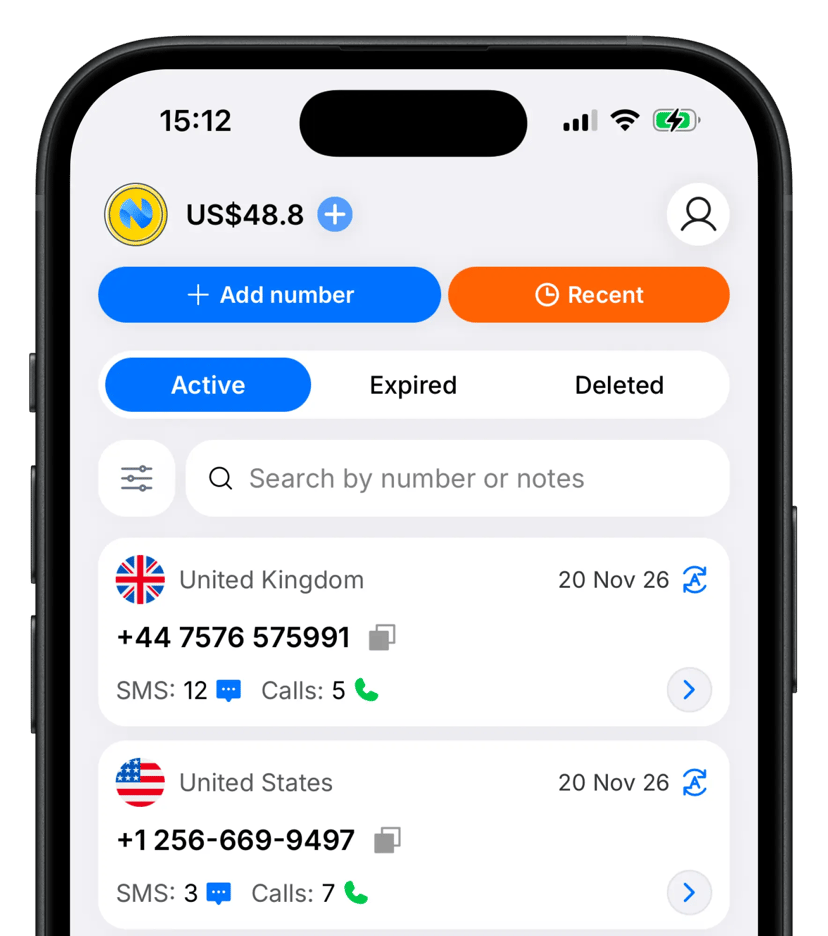
If you need a real virtual number that can make or receive calls and texts, you can buy one from our website or app. We offer genuine numbers from lots of countries to fit your needs.

Frequently Asked Questions

Everything you need to know about the product and billing.

Yes — in most cases, Numgo numbers can receive OTP (one-time password) codes without any issues. The majority of platforms accept our numbers successfully.

If an OTP does not arrive, please first contact the support team of the service you are trying to verify — they can often resolve the issue on their side. If the problem persists, you can then reach out to Numgo support and we’ll help you find the best number for your needs.

We also maintain a Platforms Page where we guarantee OTP delivery for the services listed there. If you need verification for a platform that isn’t on the list, just reach out to our support team — we’ll quickly check availability and assist you further.

You can pay for purchases by credit card, PayPal, Apple Pay, Google Pay, Alipay, or cryptocurrency.

Yes, you can buy just one number for worldwide calling. It functions like a regular phone number. You can make and receive calls from anywhere unless otherwise specified when purchasing the number.

Your virtual number is valid for 1 to 12 months, depending on the period you purchase. If auto-renewal is enabled and your balance is sufficient, it renews each month. Keep enough funds in your account to continue using your number.

For virtual numbers in most countries, no documents are required to purchase a number or receive incoming SMS and calls. If verification is required for a specific country or number, this will be clearly indicated on the purchase page before you complete your order. Outgoing calls may require identity verification to comply with local regulations. In rare cases, we may also request verification for specific numbers if required by local telecom providers or regulatory authorities.

Incoming and outgoing SMS and calls generally incur usage charges. Calls are charged per minute and SMS per message. You can find the rates on the order page or in your account.

Yes! You can enable Voicemail (Auto Responder) in your number's settings. When turned on, all incoming calls will be automatically answered and recorded in the background — you won't see or hear the call at all.

You can also configure your own voicemail message for callers to hear.

You can listen to all recordings directly on the Calls screen for that number.

Important: If global mute for incoming calls is enabled on your account, the call will not be recorded.

Yes. Call forwarding is available for virtual numbers that support voice calls. Open your number’s settings, select Call forwarding, and enter the destination number in international format. You can remove forwarding at any time in your number’s settings.

Yes. To enable SIP on your Numgo account, please contact our support team.
Numgo mobile app

Try on mobile

Download our app for free

Download on the App StoreDownload on the Google Play